

FrontAssist is built to work with you, not instead of you. You and your AI assistant share the same WhatsApp Business number: the AI handles the routine, you step in whenever you want, and control passes between you smoothly. This page explains how that works—and the human-in-the-loop safeguards that keep you firmly in charge.
Use your WhatsApp app as normal
Connecting FrontAssist doesn’t take your number away. You can keep the WhatsApp Business app on your phone and reply to customers exactly as you do today. Nothing about your day-to-day changes—you just gain an AI teammate that handles messages when you’re busy or away.
Human-in-the-loop: the AI steps back when you step in
This is the heart of how FrontAssist stays safe and natural. The moment you reply to a customer yourself, the assistant notices and backs off.
Your assistant is continuously aware of what’s happening in each conversation—who said what, and when. So when it sees a reply that came from you (typed in your WhatsApp app, not generated by the AI), it reads that as a clear signal: a human wants to take this one. It interprets your involvement using the same context it uses to answer customers, and it gracefully stands down rather than talking over you.
Concretely, when you intervene in a conversation, FrontAssist automatically turns off AI replies for that specific conversation. The customer never sees two voices competing; they just keep talking to you.
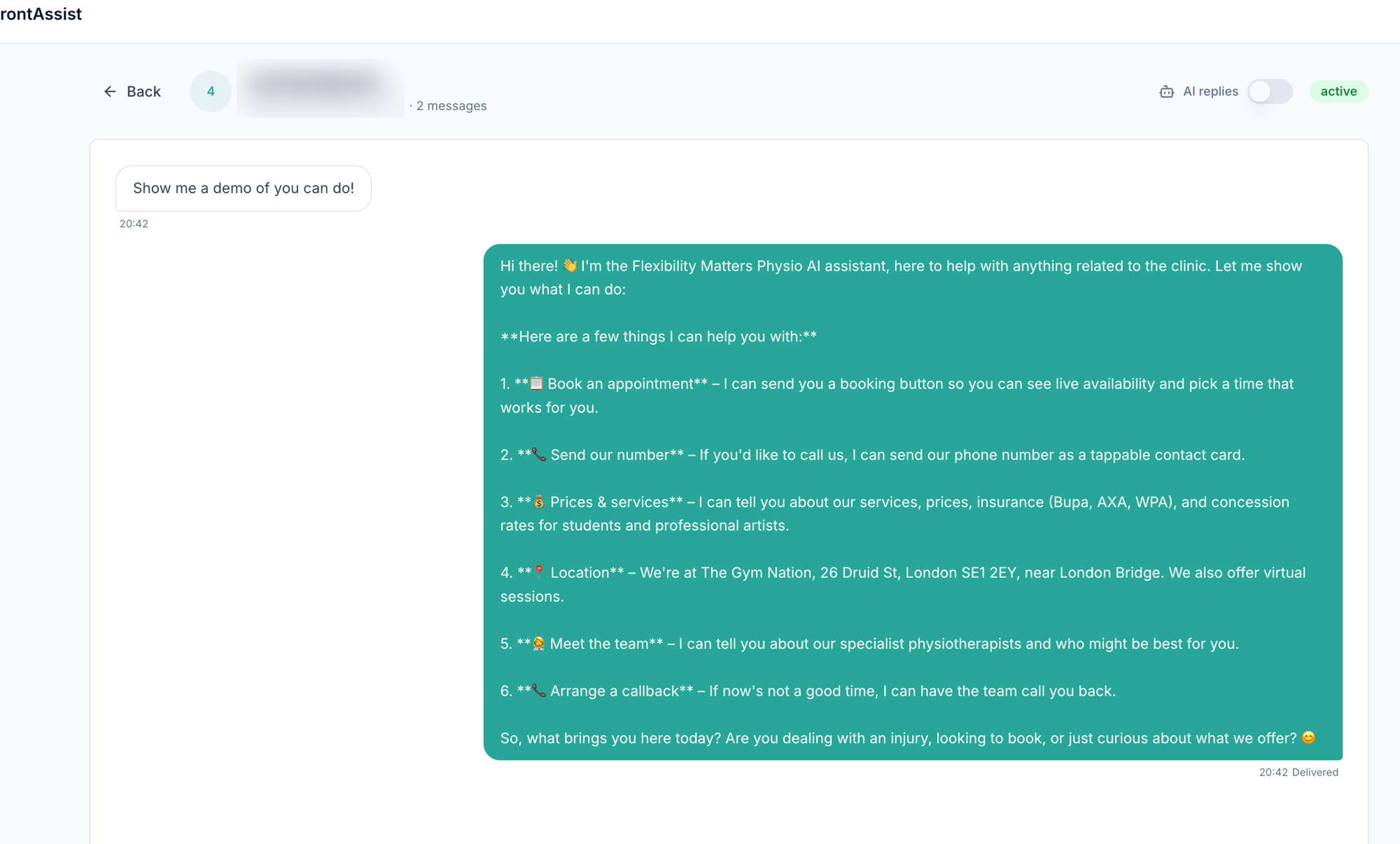
This is per-conversation, not all-or-nothing. The AI carries on handling every other conversation as usual—it only steps back from the one you’ve taken over.
Handing a conversation back to the AI
When you’re done and happy for the assistant to take it from here, you decide when to hand back. Open the conversation and toggle “AI replies” back on.
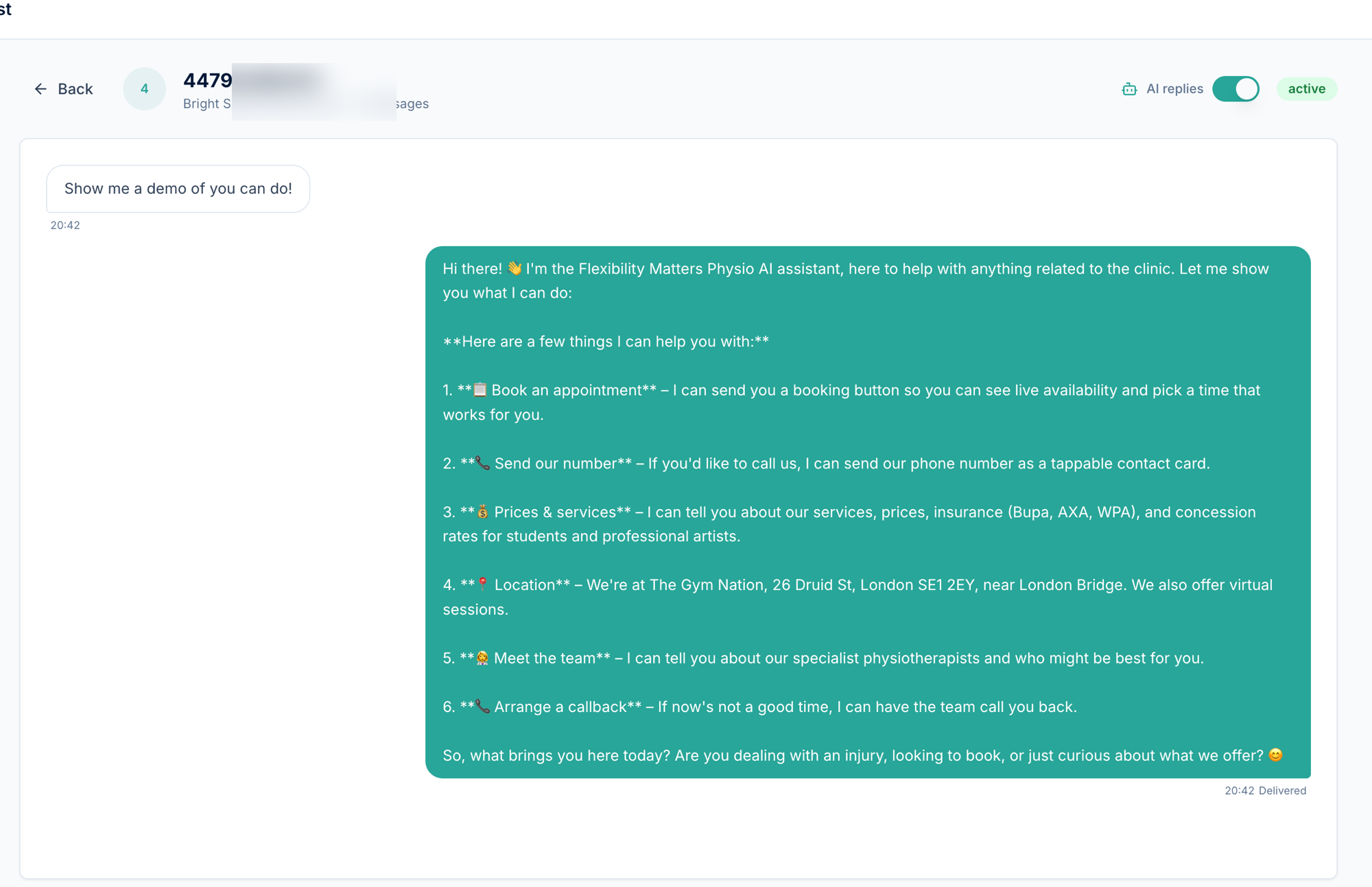
From that point, the assistant resumes answering in that conversation, picking up with full awareness of everything you and the customer said while it was paused. There’s no jarring reset and no repeated questions—it continues as one seamless thread.
Why this matters
- You’re always in control. Stepping in is as simple as replying; the AI yields immediately.
- No awkward overlaps. Auto-pausing on intervention means the customer never gets a human and a bot answering at once.
- Deliberate hand-back. The AI only resumes when you turn it back on—never on its own.
- Context is preserved both ways. Whether the AI is pausing or resuming, it sees the full conversation, so nothing is lost in the handover.
Full visibility in one place
Every message lives in your dashboard, however it was sent:
- Messages from your customer
- Replies from the AI assistant
- Replies you typed yourself in the WhatsApp app
So even though replies can come from two places—you and the AI—you always have a single, complete record of every customer relationship, and a clear view of which conversations the AI is currently handling versus the ones you’ve taken over.
A note on getting connected
If you already use the WhatsApp Business app on your number, you’ll enable coexistence during onboarding when you connect your number through Meta. Once connected, both you and the assistant are ready to go on the same number.
Questions about coexistence or human-in-the-loop? Message us on WhatsApp—we’re happy to walk you through it.