

FrontAssist turns your WhatsApp Business account into an always-on AI assistant that answers customer questions, qualifies leads, and—on higher plans—takes bookings and payments. This guide gets you from zero to a live account.
1. Choose a plan
Every plan is a flat monthly fee—no per-message charges and no setup fees. Each starts with a free trial, and you can cancel anytime. The plans differ mainly by how many customers they handle:
| Plan | Price | Handles | Free trial |
|---|---|---|---|
| Starter | £9/mo | Up to 50 customers/day (~1,000 messages) | 30 days |
| Growth ⭐ | £11/mo | Up to 100 customers/day (~2,000 messages) | 30 days |
| Professional | £32/mo | Up to 500 customers/day (~10,000 messages) | 14 days |
| Enterprise | Custom | Unlimited volume | By arrangement |
Every plan includes AI-powered answers and Q&A automation. Growth and Professional add calendar booking, in-chat payments, quote generation, WhatsApp history learning, custom integrations and e-commerce—Professional with higher capacity and a dedicated account manager. Enterprise adds unlimited volume, custom AI fine-tuning and an SLA.
See the full comparison on the Pricing page, or message our assistant and it’ll help you choose.
2. Create your account
Pick your plan to begin:
You’ll land on the FrontAssist sign-in screen. The same screen handles both signing in and creating an account—there’s no separate sign-up page.
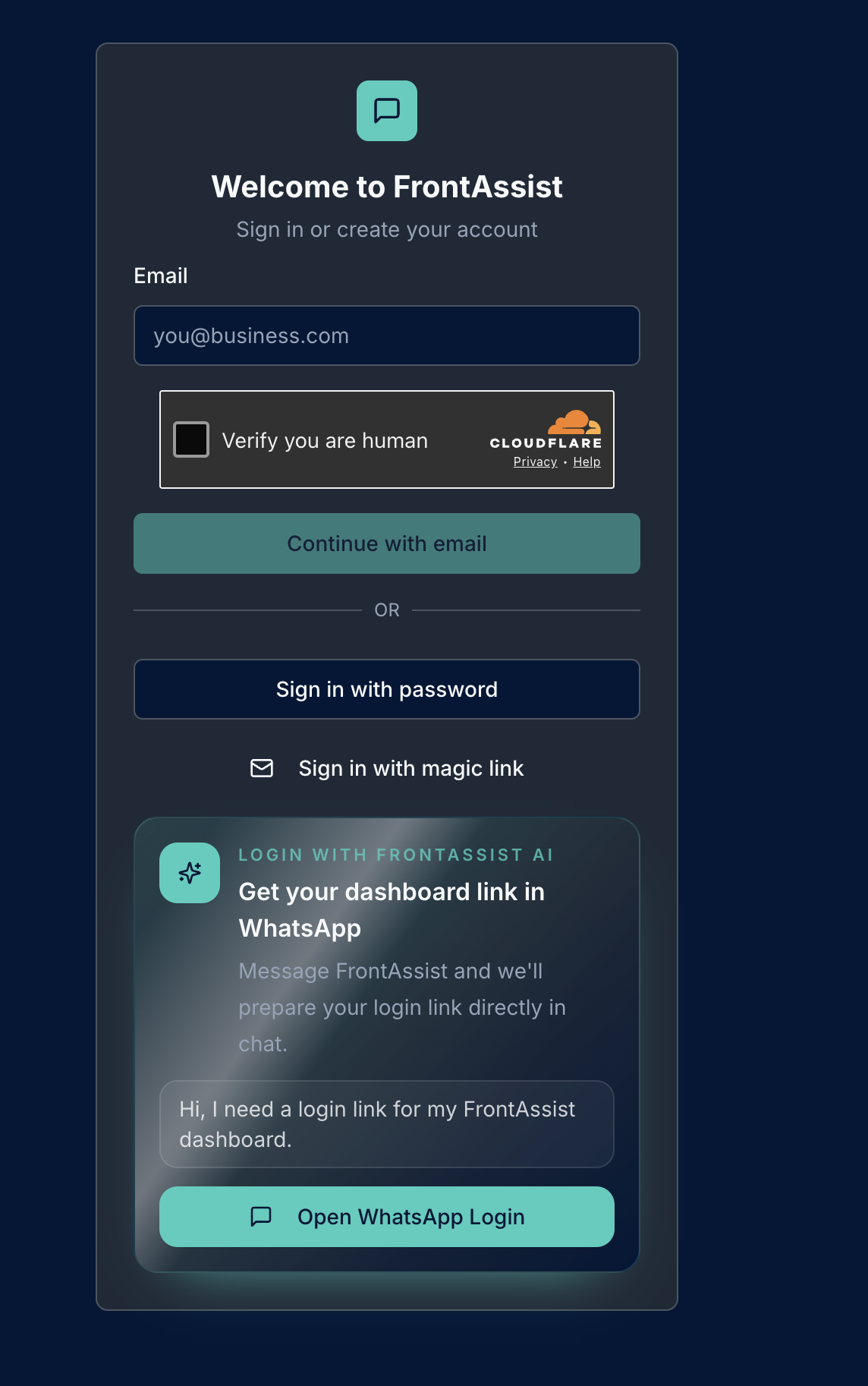
From here:
- Enter your email and choose Continue with email. If it’s your first time, this starts your new account.
- Check your inbox and verify your email. We send you a verification link—click it to confirm the address is yours. You’ll need to verify before you can log in.
- Complete payment via Stripe. We never handle card details in chat—everything is processed securely by Stripe, and your free trial starts immediately.
Once you’re verified, you can sign back in anytime by email magic link, password, or straight from WhatsApp (see Logging In with WhatsApp).
3. What happens next
Once your account is active, the next step is onboarding: connecting your WhatsApp Business number and training the assistant on your business. We cover that in detail in Onboarding Your Business.
At a glance, onboarding means:
- Connecting your WhatsApp Business number to the platform.
- Telling the AI about your services, pricing, hours, and the questions customers ask most.
- Going live—your assistant starts handling incoming messages automatically, around the clock.
4. Try it first
Want to see the assistant in action before you commit? Message our live demo on WhatsApp and chat with a FrontAssist agent exactly as your customers would.