
You don’t need to remember a password to reach your dashboard. Because FrontAssist already lives on WhatsApp, you can just ask the bot for a login link and tap it. It’s the quickest way in—especially from your phone.
How it works
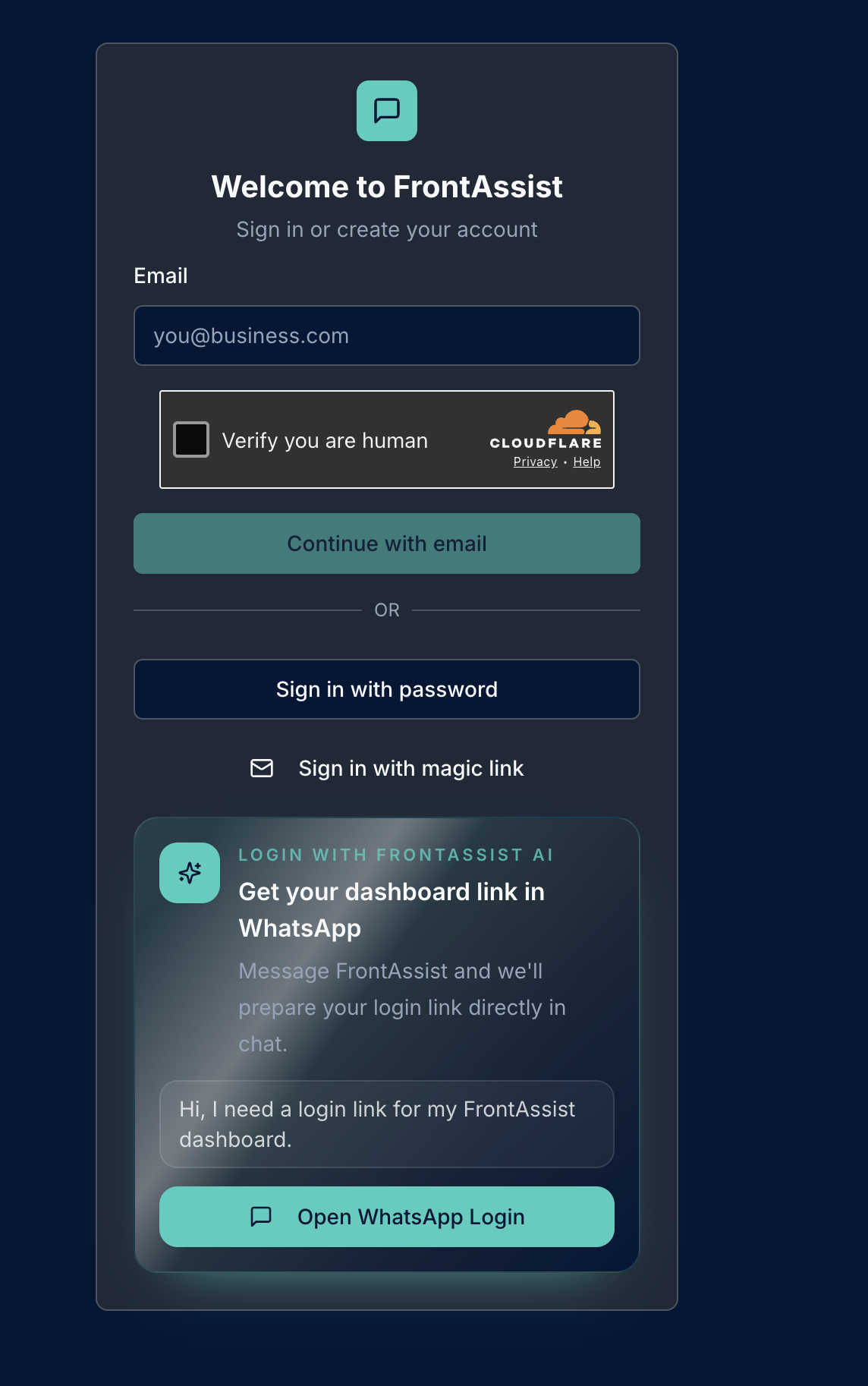
- Open the FrontAssist sign-in page at dash.frontassist.ai and choose Open WhatsApp Login—or simply message FrontAssist on WhatsApp directly.
- Send a quick message like “Hi, I need a login link for my FrontAssist dashboard.”
- The assistant recognises your WhatsApp number and replies with a secure dashboard link right in the chat.
- Tap the link to open your dashboard—you’re in. No password required.
Why use it
- Nothing to remember — no password, no reset emails.
- Fast on mobile — tap straight from the chat you already have open.
- Secure — the link is tied to your account and is time-limited, so it can’t be reused later.
Other ways to sign in
Prefer email? From the sign-in page you can also:
- Continue with email and sign in with a magic link, or
- Sign in with a password if you’ve set one.
All three get you to the same dashboard—use whichever is easiest for you.
Tip: Logging in this way uses the same number your business is connected with. If you manage more than one business, the assistant links you to the right dashboard automatically.